 Inksound
Features
Everything Inksound does
A notebook built for the pen, with the lecture recorded inside it. Here is every tool, and what it does for your field of study.


Lecture recording that replays with your writing
- Record a lecture, a class or a meeting while you write, with Apple Pencil, a stylus or your finger. Everything you write is linked to the moment you wrote it.
- Play a recording and watch your notes appear in the order you wrote them.
- Tap your handwriting to jump the audio to that moment. Play at 0.75x to 2x speed.
- Pause for a break and carry on in the same recording.

Writing that feels like paper
- Pressure-sensitive pen, highlighter, and an eraser for part of a stroke or all of it.
- A tool's settings open right under it with a second tap: the pen's color, thickness, line style, stabilizer and pressure.
- Favorite pens one tap away, custom colors and an eyedropper.
- Pages scroll as one continuous sheet, and a blank page with the same paper waits below the last one.
- Once you write with Apple Pencil, only the Pencil writes, so your palm can rest on the screen. One finger scrolls, two fingers zoom, and a tap with two fingers undoes.
- Type in English or Hebrew right on the page.
- Stabilizer, in the options of the pen and the highlighter and of each favorite: Off, Low, Medium or High. Low, the default, writes exactly as before; Medium and High steady slow lines and diagrams.
- Edit toolbar, in a note's More menu or in Settings: choose which tools show and in what order, and restore the original toolbar at any time. On iPad, the tools can stand at the top or along the left or right side, so your palm stays off them.

Shapes, the ruler and math
Shapes by holding
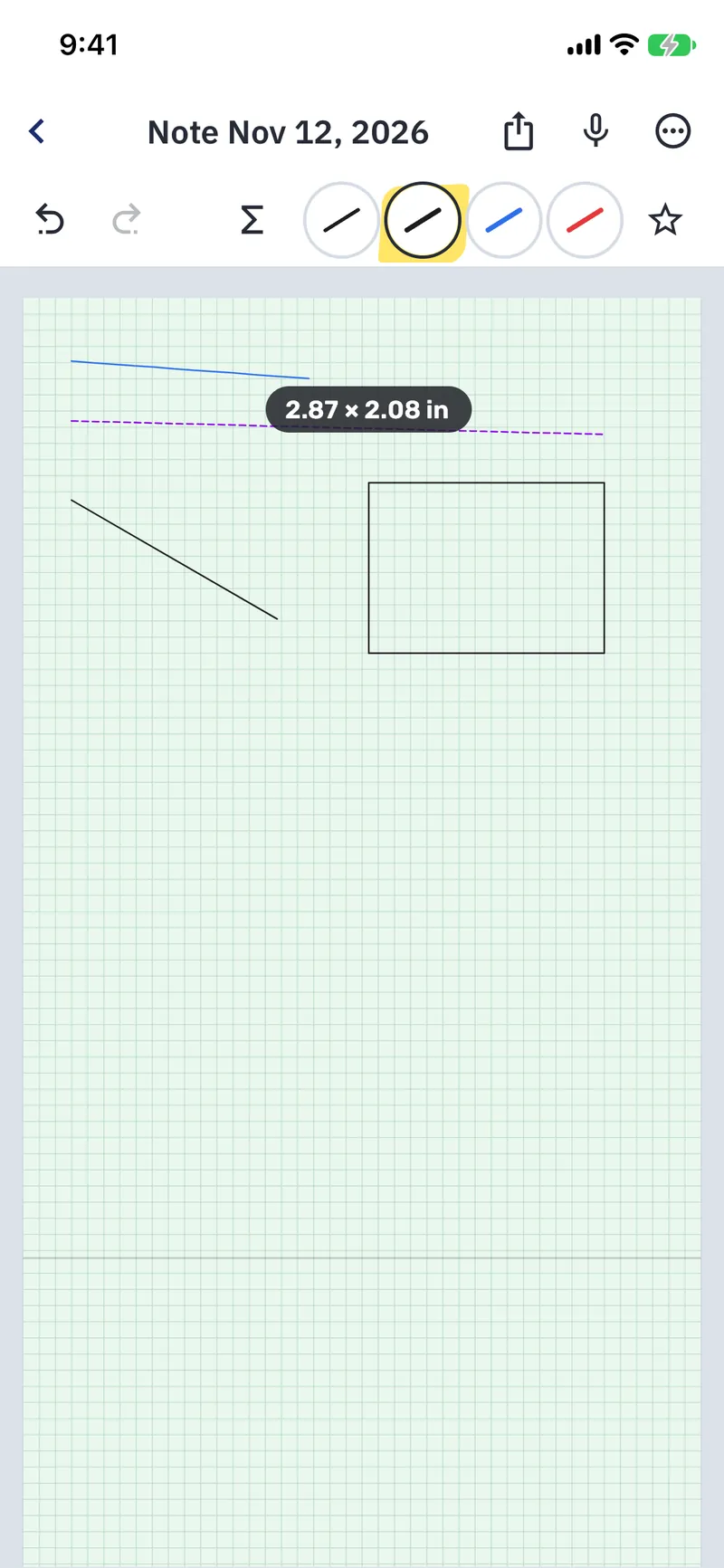
Draw a line, circle, rectangle, triangle or arrow and hold the Pencil still at the end for a moment: it snaps into a neat shape. Keep holding and move the Pencil to adjust it.
A circle or triangle drawn almost all the way round closes, a U becomes an exact parabola, and a small V drawn at the end of a line becomes its arrowhead. Later, the lasso changes a shape's color, width, fill and arrowheads.
The ruler
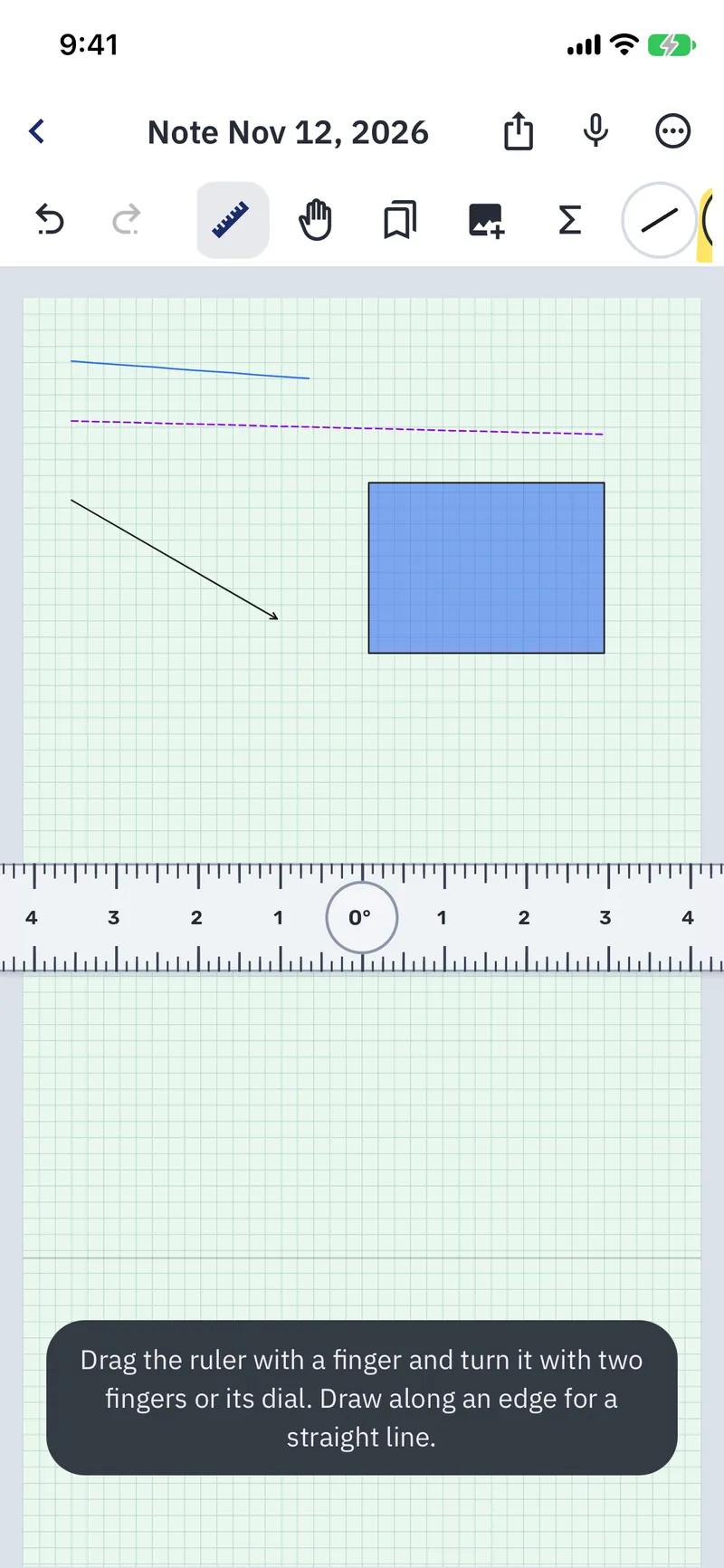
Show the ruler from the tool row, drag it with one finger and turn it with two fingers or its dial. Draw along its edge for a perfectly straight line, measured in centimeters or inches, at an exact angle.
Clean math symbols
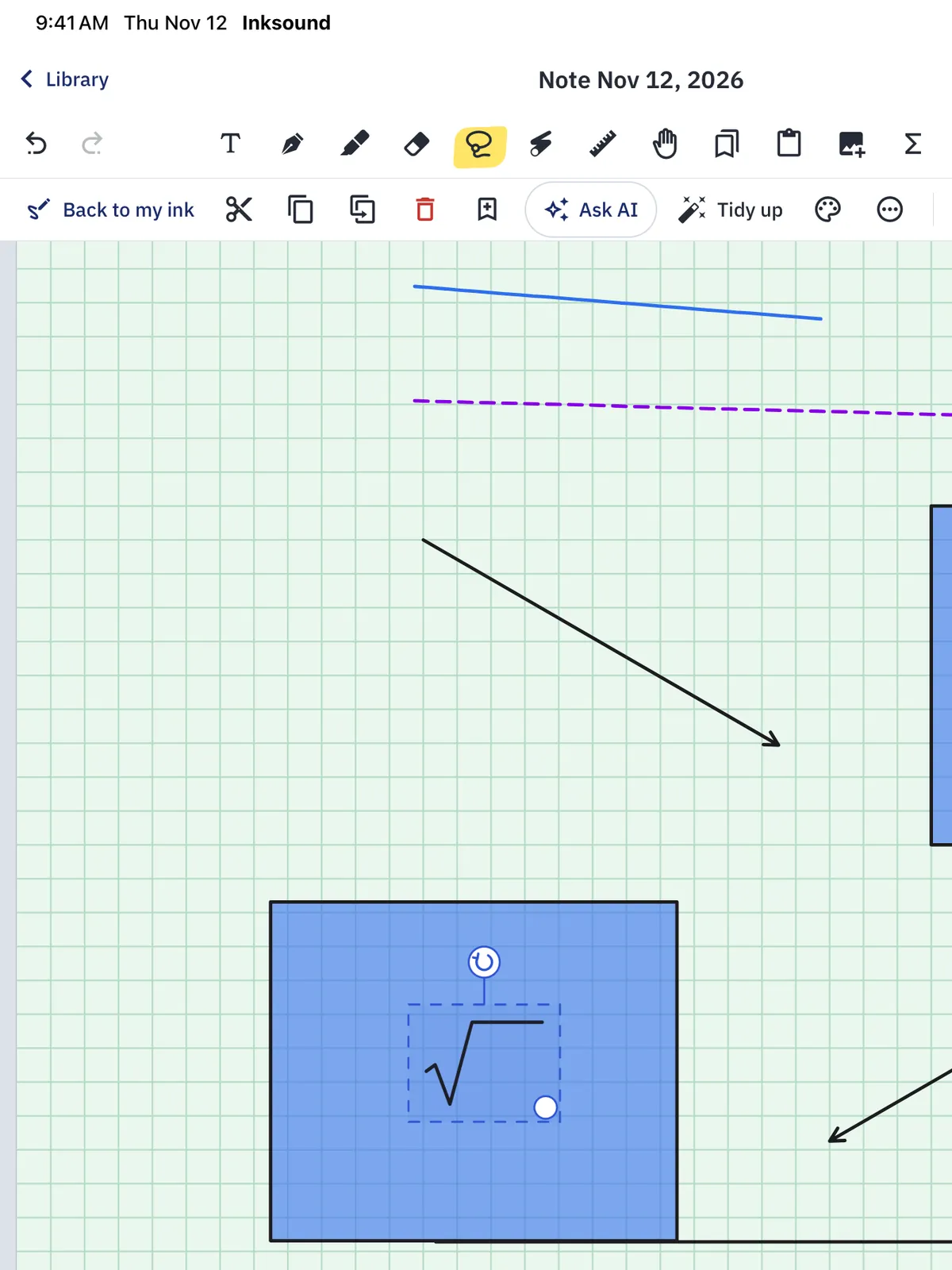
Write √, ∫, ∑, π, an arrow, ≤, ≥, ≠, ± or ∞ with the pen, and keep the pen still for a moment at the end of the last stroke: your writing becomes the clean symbol, in its color and size. Lifted right away, it stays as you wrote it, so ordinary writing never changes. One undo brings your handwriting back.
103 ready-made drawings
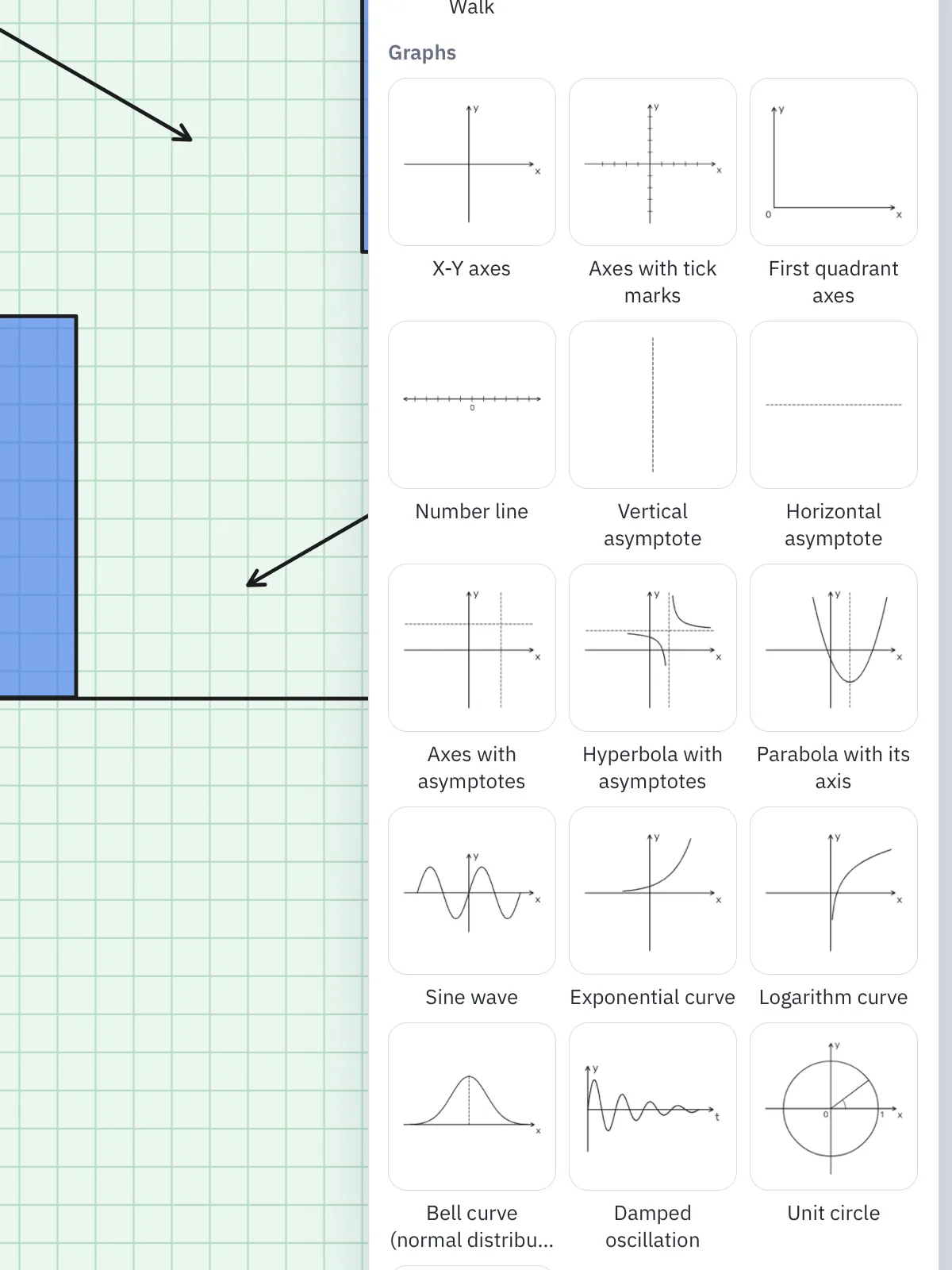
Axes and asymptotes, graphs of common functions, the unit circle, plane shapes, solids, beams, springs, free body diagrams and circuit symbols, plus sets for math, science, art, medicine, law, languages, music and high school, in your pen color. Each one is placed as one group; ungroup it to change its lines one by one.
The Math symbols palette
Square roots, integrals, sums, Greek letters, arrows, set symbols and indices as clean text, in the pen's color and the size of your handwriting. A root stretches over a whole expression.
Saved items
Save a formula, a symbol or a diagram once and place it in any note. Search by name, sort items into collections and mark your favorites.
PDFs, photos and paper
Write on PDFs
Import lecture slides, worksheets, articles and past exams as PDF and write, highlight and draw right on the pages. Export any note as a PDF.

Photos of the board
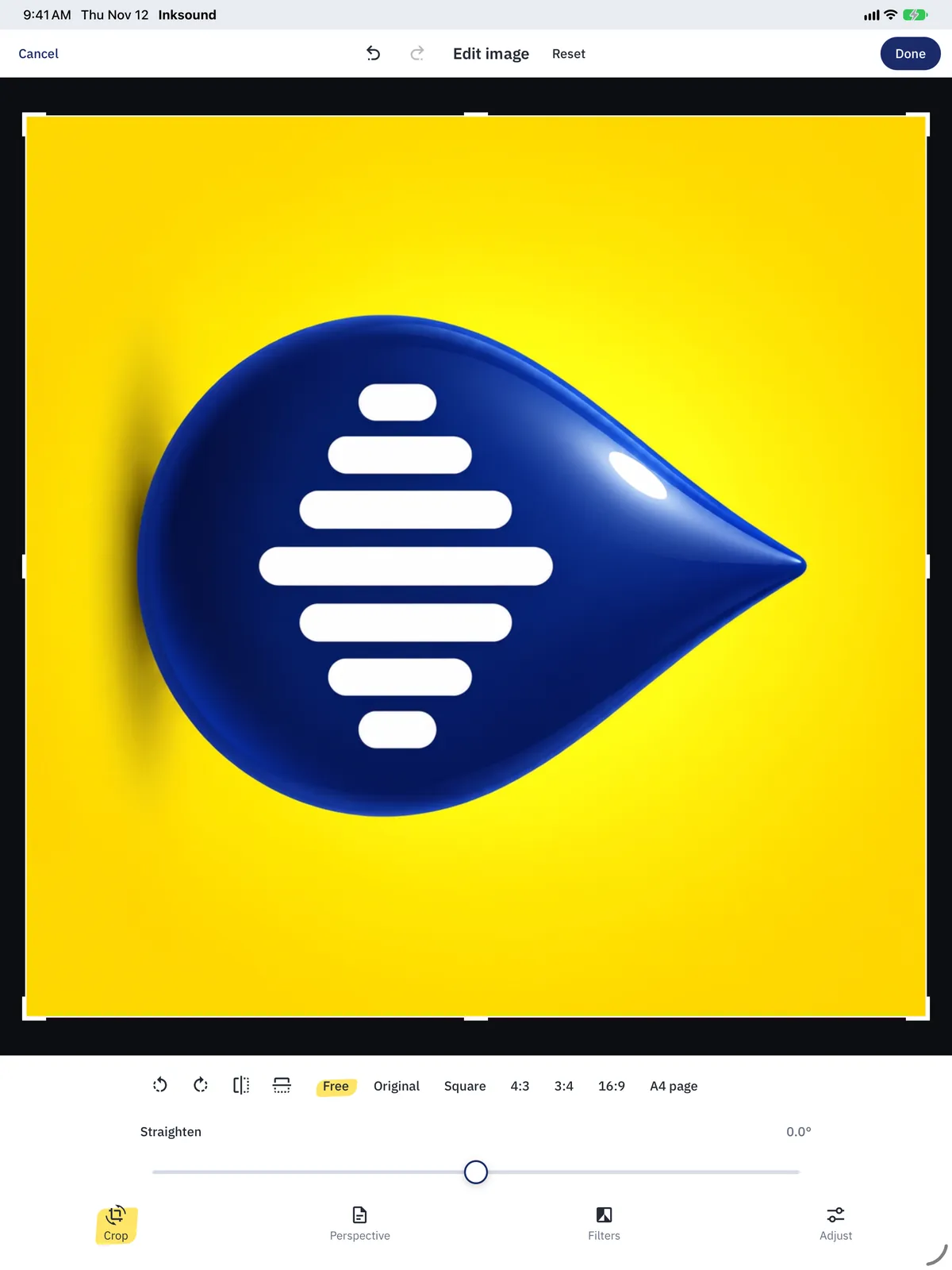
Add photos and scans to a page, then crop them, straighten them, fix the perspective of a photographed page and clean it up with filters, brightness and contrast.
Paper and page size
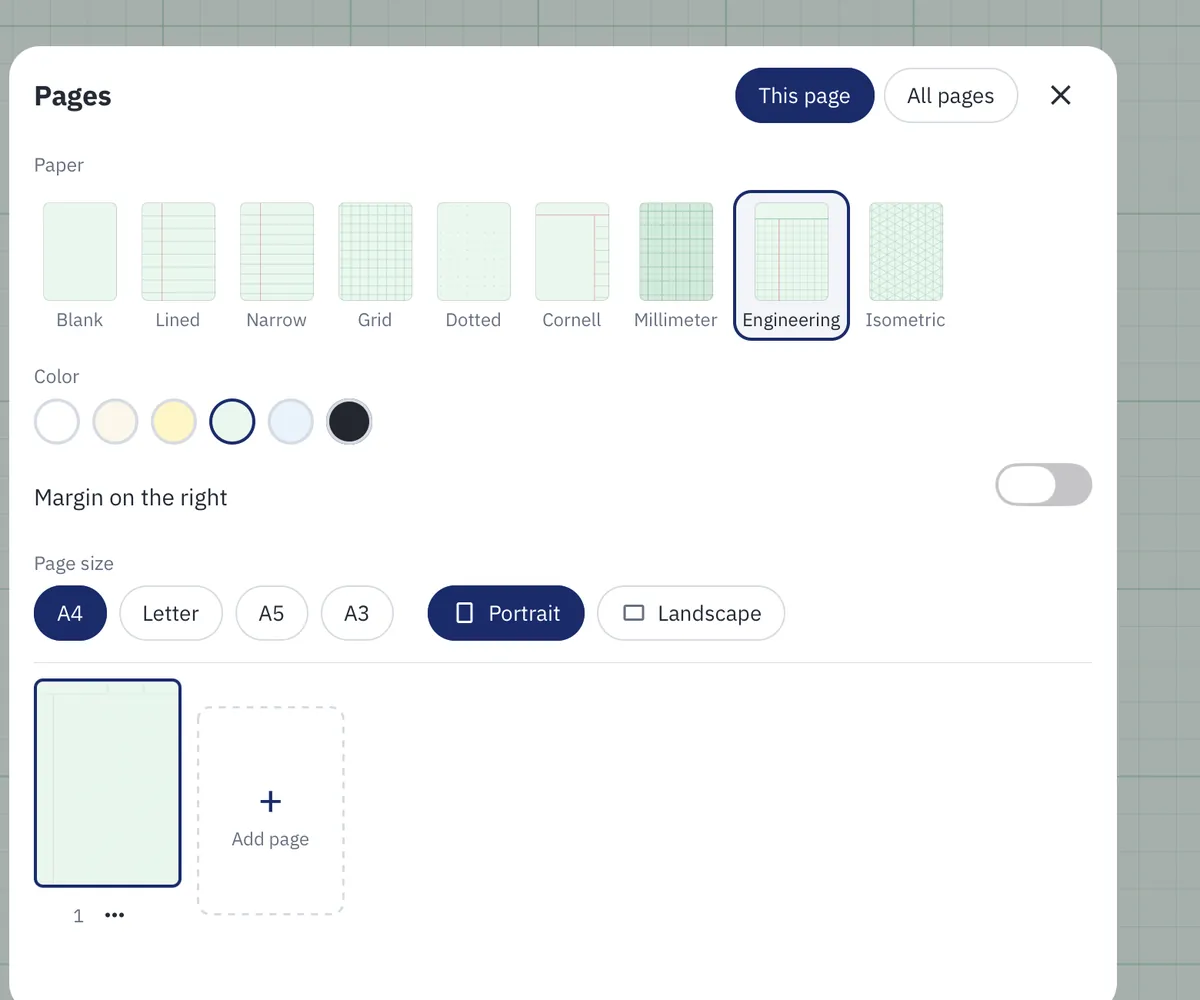
Lined, grid, dotted, millimeter, engineering, isometric or Cornell paper, with its spacing and color, on A4, Letter, A5 or A3 pages, portrait or landscape. Choose it for one page, for all pages, or for every new note.
Clean page breaks in your PDFs
Pages sit one under the other like one long sheet, so a line written across a page break would be cut in two in a PDF. When you export, Inksound finds it and can move each cut line whole to one side of the break, and Undo puts it back. Writing on PDF pages and pictures stays where it is.
Ask AI and Tidy up
Ask AI
Circle part of a page with the lasso and tap Ask AI. Where it is offered, Answer here shows an explanation right in Inksound, ready to copy or to insert as text next to the selection. Or send the selection as a picture to the AI app you use and ask there.
With Answer here, the picture and your question go through Inksound's server to an AI service, as the notice before your first question says. Answer here is not offered in the European Economic Area, Switzerland or the United Kingdom. Sent to an AI app, the picture goes only to the app you choose. The privacy policy has the details.
Tidy up
Makes handwriting easier to read: each line comes out level, letters lean less, and spaces and pen widths even out. It stays your own hand, and nothing is recognized or sent anywhere.
Tidy a few lines with the lasso, or a whole page or note from the menu. Shapes, highlighters, text and pictures stay as they are, and Undo brings everything back in one step.
Organize, share and back up
- Subjects and dividers for every course, and search by title or typed text.
- Export any note as a PDF, or send it as a note file a classmate can open in Inksound and keep editing.
- One Import button takes PDFs, pictures and notes, several at once.
- Coming from another notes app? Import a whole library of .note files from a backup folder or a zip of it: folders become subjects, handwriting stays editable, and recordings still replay with your writing.
- Back up your whole library to one file, and move to a new iPad or phone in two steps.
- Connect Google Drive in Settings, under Backup: while Inksound is open on Wi-Fi, it backs up your notes there about once a day, keeping the last three, and you restore a backup from the same place. Backups go straight from your device to your own Drive, never through Inksound's servers.
- Deleted notes wait in Recently deleted for 30 days, and you can restore them from there.
- Help in the app answers as you type, in English or Hebrew.
- No ads, and an Inksound account only for shared notes. Your notes stay on your device, and in your own iCloud with sync: only a note you share or join is kept on Inksound's server.

Write together in shared notes
The same note, written together
Tap Share note in a note's More menu and send the link to the people you invite. You write in the note together, and each of you sees the others' handwriting as it is written, with their name beside it. Pictures and PDF pages are shared too; audio recordings never go to Inksound's server: they stay on your device.
Who can edit, and who can only view
Choose Can edit or Can view for a link, how long it works and for how many people. The owner chooses who can edit and can remove anyone at any time. In People, everyone sees who is there and can report a person or the note, block someone, or leave.
Pro to share, free to join
Sharing a note is part of Pro; joining one is free and needs only an Inksound account. Sign in with Apple (on iPhone and iPad) or with Google, in Settings, under Account. The account is only for shared notes: everything else works without it, and Delete account removes it at any time.
On each of your devices
Sign in with the same account on your other devices, then open your shared notes there from Shared notes in the library, with Open here. Shared notes stay out of iCloud sync; your other notes sync as before.
A shared note is kept on Inksound's server while it is shared and for 30 days after sharing stops, then it is deleted. Before your first share or join, the app asks you to agree to the Community rules and the Terms of Use, and the privacy policy has the details.
Hebrew and English
The whole interface is in Hebrew or English, following your device or the language you choose, and in Hebrew it is laid out right to left. Type in English or Hebrew right on the page: typed text flows right to left or left to right on its own.

Sync and study tools
- iCloud sync between iPad and iPhone
Turn on Sync with iCloud in Settings on your iPad and your iPhone, with the same Apple Account, and both keep the same notes, subjects and saved items, with their pictures, PDFs and recordings. Changes made offline go out once you are back online, and when both devices changed the same writing, the other version becomes a copy of the note. Synced notes go only to your own iCloud, never through a server of ours, and shared notes stay out of sync. Settings and pens stay on each device.
On iPhone and iPad only, with iOS or iPadOS 17 or later. Android has no sync.
- Page bookmarks
Tap the ribbon at the top corner of a page to bookmark it, and hold it to give the bookmark a name. The Pages sheet lists your bookmarks, and a tap takes you straight to the page. The library's search finds notes by their bookmarks' names too, and a PDF you export keeps them as its bookmarks.
- A study timer
Time a study session with a stopwatch, or practice an exam with a countdown of 5 to 90 minutes or a length you type. It keeps running while you write, open other notes or leave the app, and Inksound tells you when a countdown ends, also in another note. A recording keeps its own time: the timer never stops or changes it.
- Presentation mode
Show a note full screen, one page at a time, and point with a laser that fades by itself and is never saved. Swipe or tap the sides of the screen to turn pages, or use a keyboard's arrows and Space. Mirror your screen to a TV or a projector, and it shows the note too. To write on the page while you present, choose the pen: that writing is saved in the note.
- Page templates
Ready-made pages for a to-do list, a daily or weekly planner, a lab report, lecture or meeting notes and a music staff, with their words in English or Hebrew. Save any page as a template of your own, with its paper, its size and everything on it, then add a page from it, or start a new note from it in the library.
- Personalization by field of study
Choose what you study, from engineering and science to music and high school: new notes get the paper that suits it, your pen favorites fit it, and its ready-made drawings come first. Before anything changes you see what it sets and can turn any part off, and the notes you already have stay as they are.
By field of study
What each field gets from Inksound today.
Engineering and science
- Engineering, millimeter, grid and isometric paper, with your own spacing.
- Shapes that snap when you hold, and a ruler with exact angles, in centimeters or inches.
- Ready-made axes, graphs, solids, beams, springs, free body diagrams and circuit symbols, placed as one group.
- Your own formulas and diagrams, saved once for the whole semester.
Math
- Write √, ∫, ∑, π, ≤, ≥ or ≠ by hand and hold: they turn into clean symbols.
- The Math symbols palette, with roots over whole expressions, Greek letters, set symbols and indices.
- Graphs of common functions, axes and asymptotes, and the unit circle, ready to place.
- Grid and millimeter paper for your graphs.
Art and design
- A pressure-sensitive pen with sizes and line styles, custom colors and an eyedropper.
- Blank, dotted and isometric paper.
- The lasso moves, resizes, rotates, mirrors, copies and recolors what you drew.
- Photos you can crop, straighten and clean up with filters.
Medicine and biology
- Write right on lecture slides imported as PDF.
- Add photos of diagrams or of the board, and label them by hand.
- Highlight what matters, and tap a line to hear again the moment it was explained.
- Find a note by its title or its typed text.
Law and humanities
- Mark up readings, articles and past exams as PDF.
- Cornell or lined paper, and typing in English or Hebrew right on the page.
- Tidy up a page of fast handwriting before you revise.
- Subjects and dividers for every course.
Languages
- Record the class, and tap a word you wrote to hear how it was said.
- Slow the replay down to 0.75x to catch every word.
- Type in English or Hebrew: typed text flows right to left or left to right on its own.
- The whole interface in Hebrew or English.
Music
- Import sheet music as PDF and write on it.
- Record a lesson or a rehearsal while you mark the score, then tap a mark to hear that moment.
- Play recordings at 0.75x to 2x, and pause and resume a recording.
- Colors and a highlighter to mark up the score.
High school
- Start free with 5 notes, every tool included.
- Record the class and replay what the teacher said.
- Straighten and clean up photos of the board.
- Export a PDF, or send a note file a classmate can keep editing.
Choose your field of study: new notes get the paper that suits it, your pen favorites fit it, and its ready-made drawings come first.
Try Inksound free
5 free notes with every tool, and if you are new to Pro, a 7-day free trial.